Improve blurry photos with AI
A slightly soft portrait or compressed image can look better with clearer edges and less visible noise. Photos Repair’s Clarity mode creates an AI-enhanced version of your photo. Use the comparison slider to judge the result against the original, especially around faces and fine textures.
Select my photos100 credits each month for €9.99/month or €49.99/year. Extra packs require an active subscription.
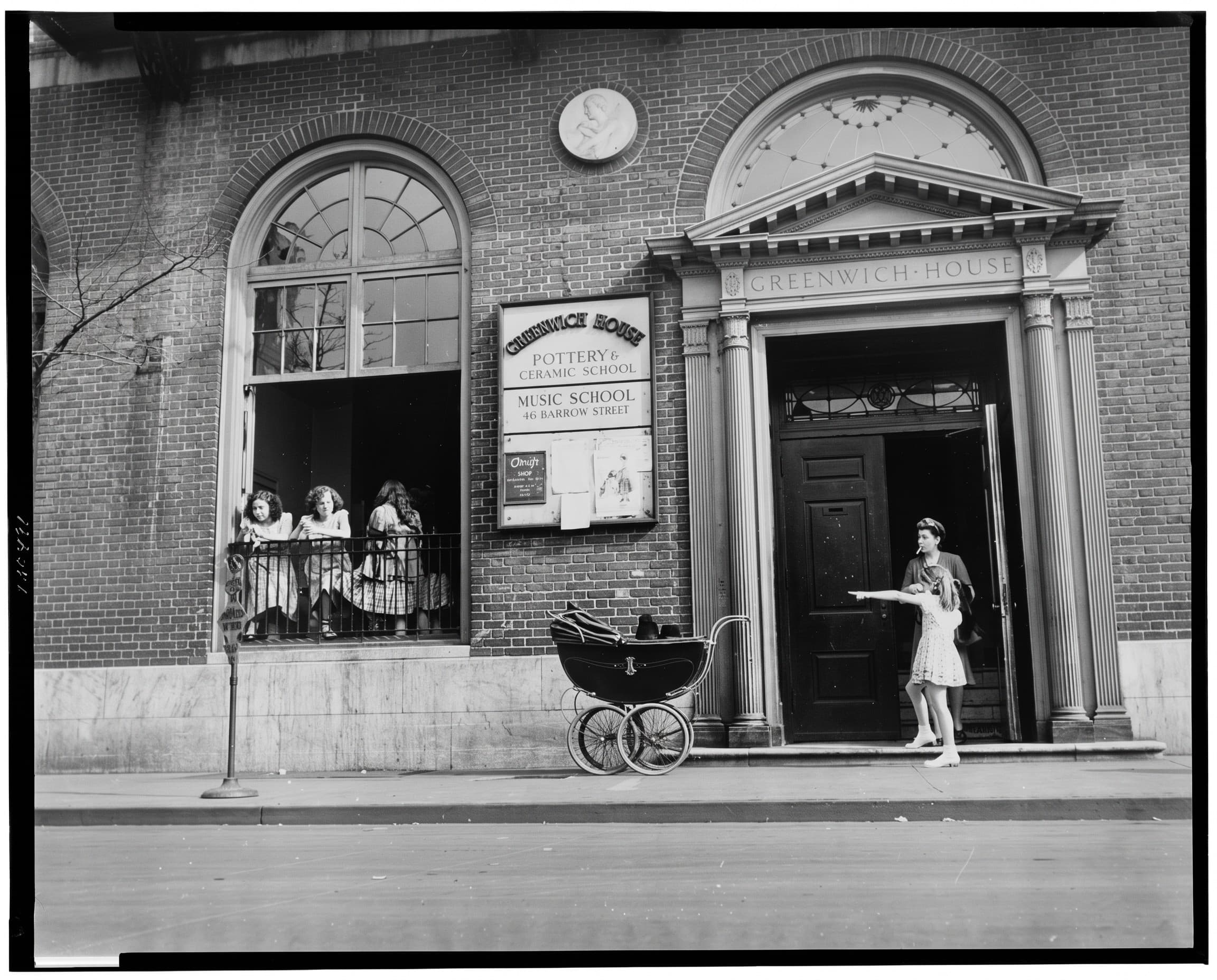
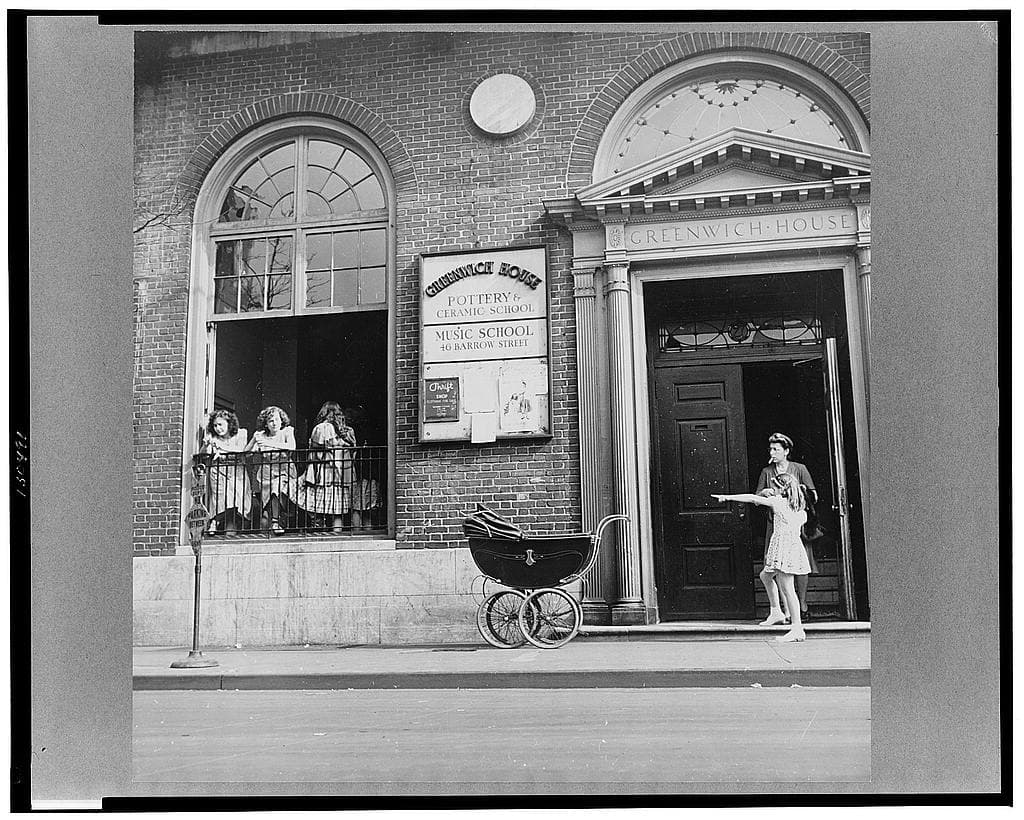
How it works
Use the original digital file if you have it. A screenshot or an image forwarded through several messaging apps may have lost additional detail. Upload a JPEG, PNG, WebP or HEIC file of up to 20 MB. You can prepare up to 20 images with the same settings.
- Select your photos and choose Clarity in the editor.
- Choose 2K or 4K, sign in and check the credit cost. Buy a credit pack if your balance is insufficient; payment comes before processing.
- Start processing and compare the result with the original before downloading your photos.
What to expect
Strong motion blur, missed focus and very small faces may not be recoverable faithfully. AI can generate convincing details that were never present in the source. Check eyes, teeth, text and repeated patterns. Use the result as an edited image, not as evidence of details missing from the original.
2K costs 5 credits per photo; 4K costs 10. The choice controls output resolution, not a guaranteed improvement factor. For an old print with scratches or fading, try Restoration instead of Clarity.
A documented test on an archive photo
We used a public-domain Library of Congress scan with the same image preparation and AI engine as this tool. The source was not artificially damaged. The app removes metadata and prepares a JPEG, then generates a 2K image with Nano Banana 2. The web example is encoded as JPEG.
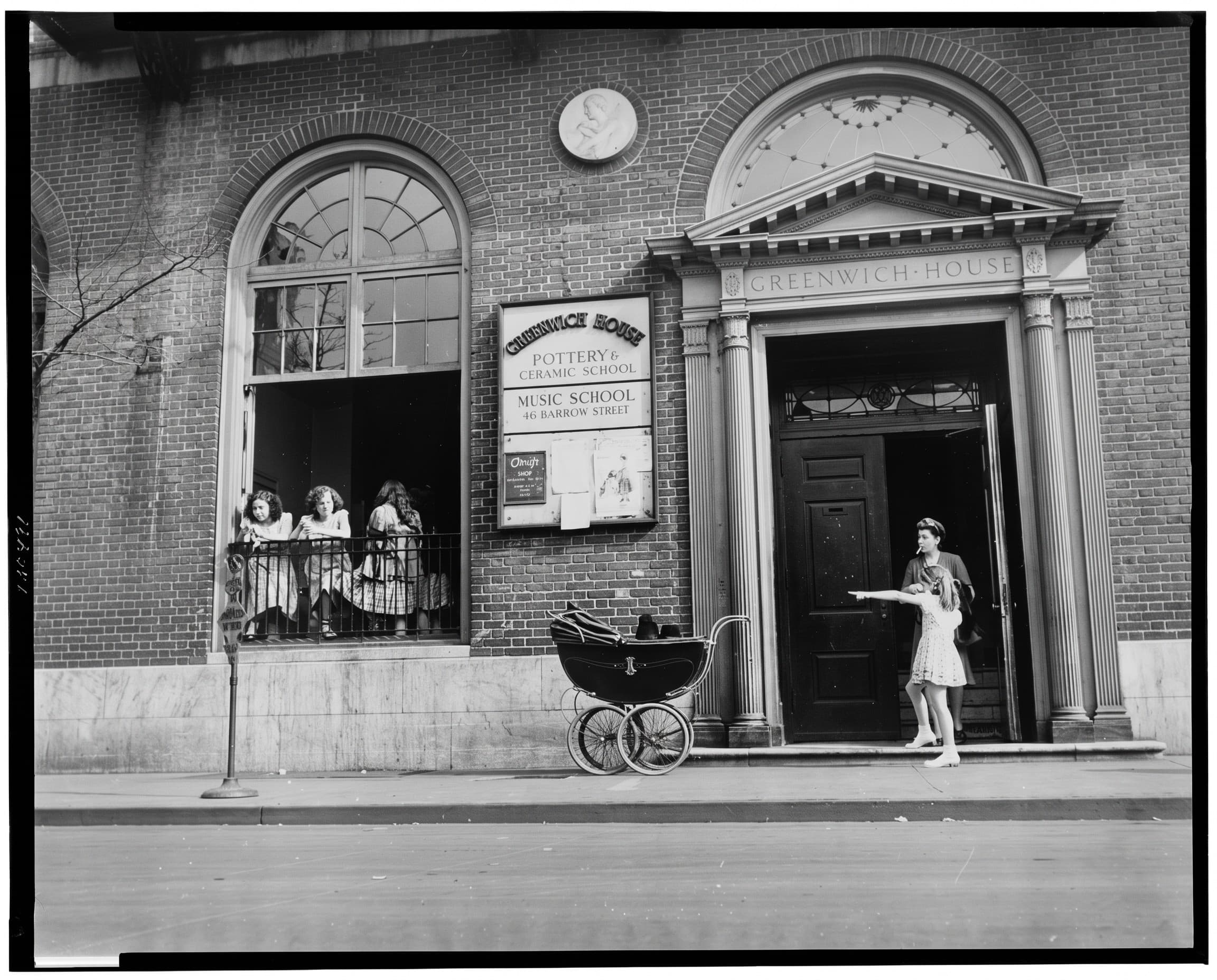
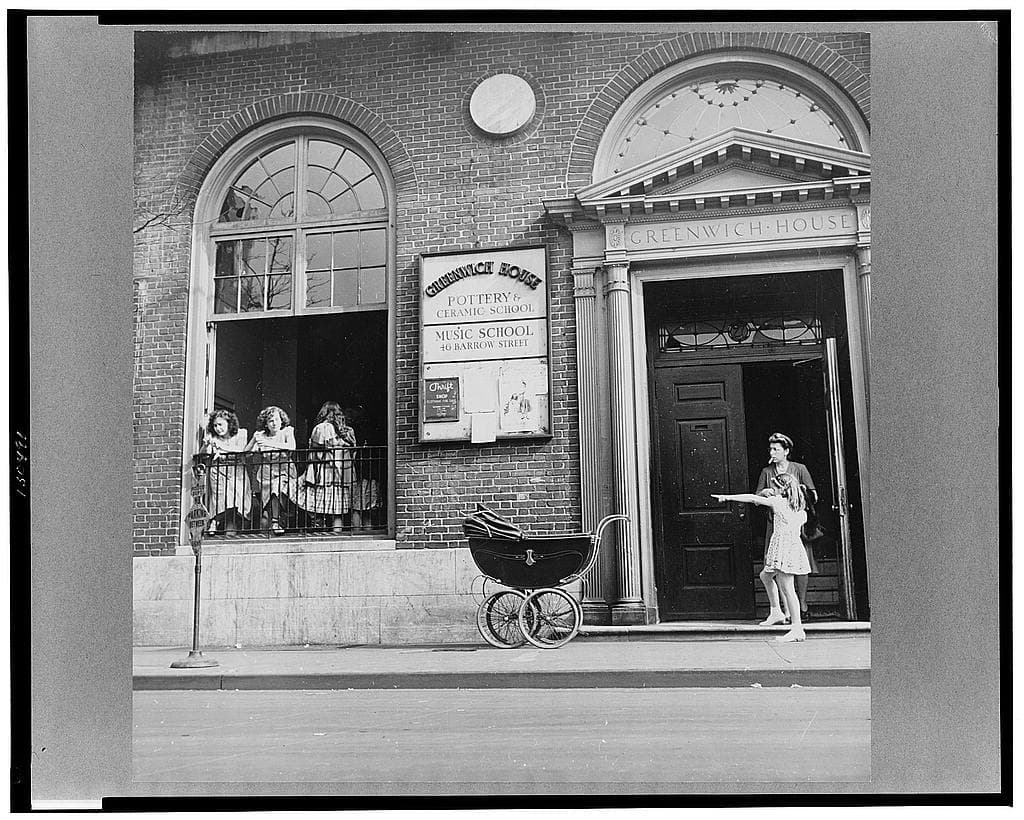
- Source dimensions
- 1024 × 820 px
- Generated dimensions
- 2304 × 1856 px
- Setting
- Clarity · 2K
- Test date
- 2026-10-05
For Risdon Tillery’s 1944 Greenwich House scene, we used Clarity. The output preserves the overall façade, people and pram at a larger size. The small faces and signs still require comparison with the scan; a sharper-looking edge is not proof of an accurate reconstruction.
What to check before keeping the result
- Compare eyes, mouths and expressions with the original at the same display size.
- Check text, hands and clothing patterns for invented details.
- Keep the scan and label the edited copy, particularly in a family archive.
This is one example for this setting, not a success-rate study or a comparison with another service. Your source and each generation can produce different results. Archive subjects are not customers or endorsers.
Source and generation recordClear prices, before processing
One photo costs 5 credits in 2K or 10 credits in 4K. Both resolutions are available with every plan.
100 credits each month for €9.99/month or €49.99/year. Extra packs require an active subscription.
See prices