Colorize black and white photos with AI
Add plausible colors to a black and white or sepia photo with Photos Repair. The AI estimates skin tones, clothing and scenery from the image. It cannot identify the original colors: keep the scan alongside the colorized interpretation.
Select my photos100 credits each month for €9.99/month or €49.99/year. Extra packs require an active subscription.
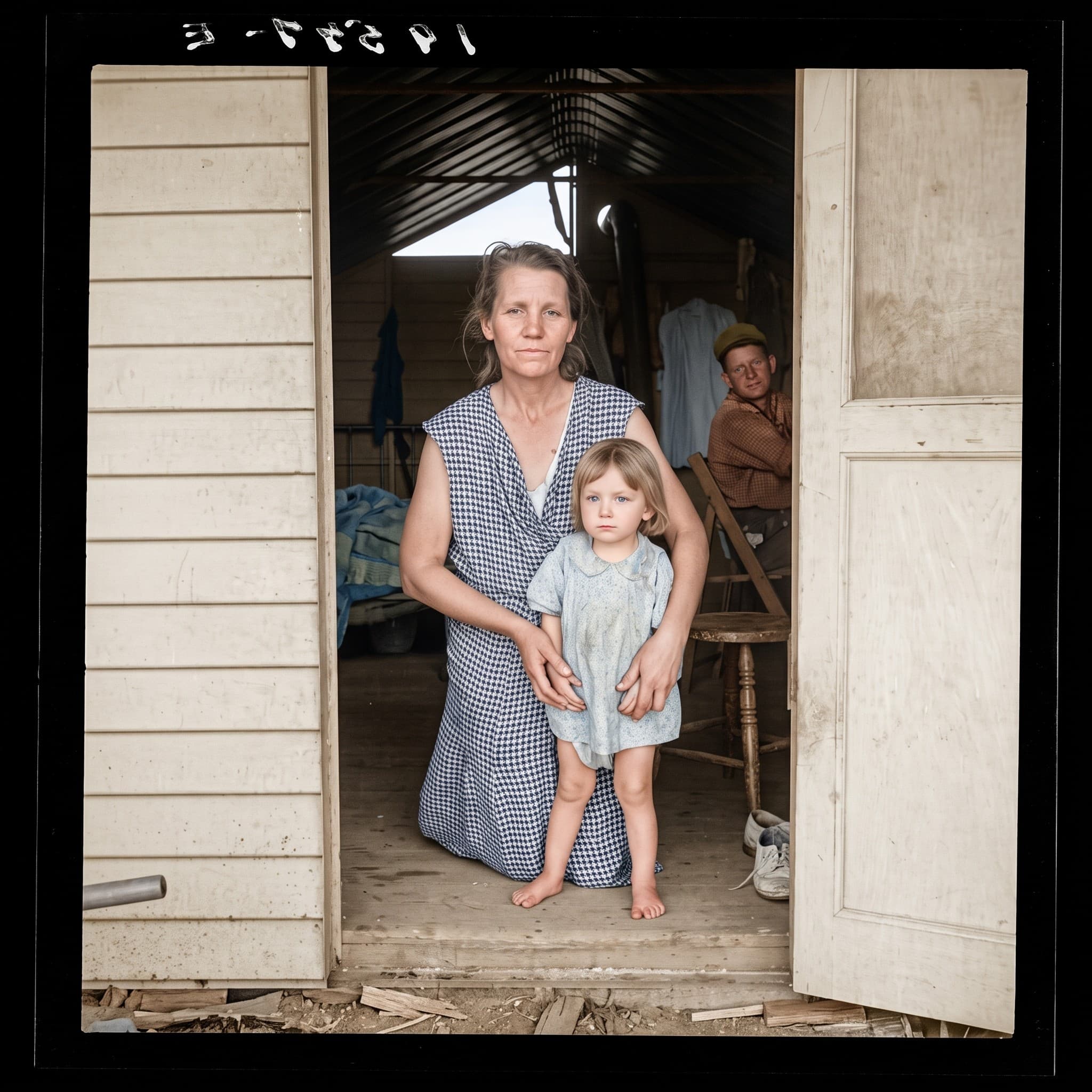
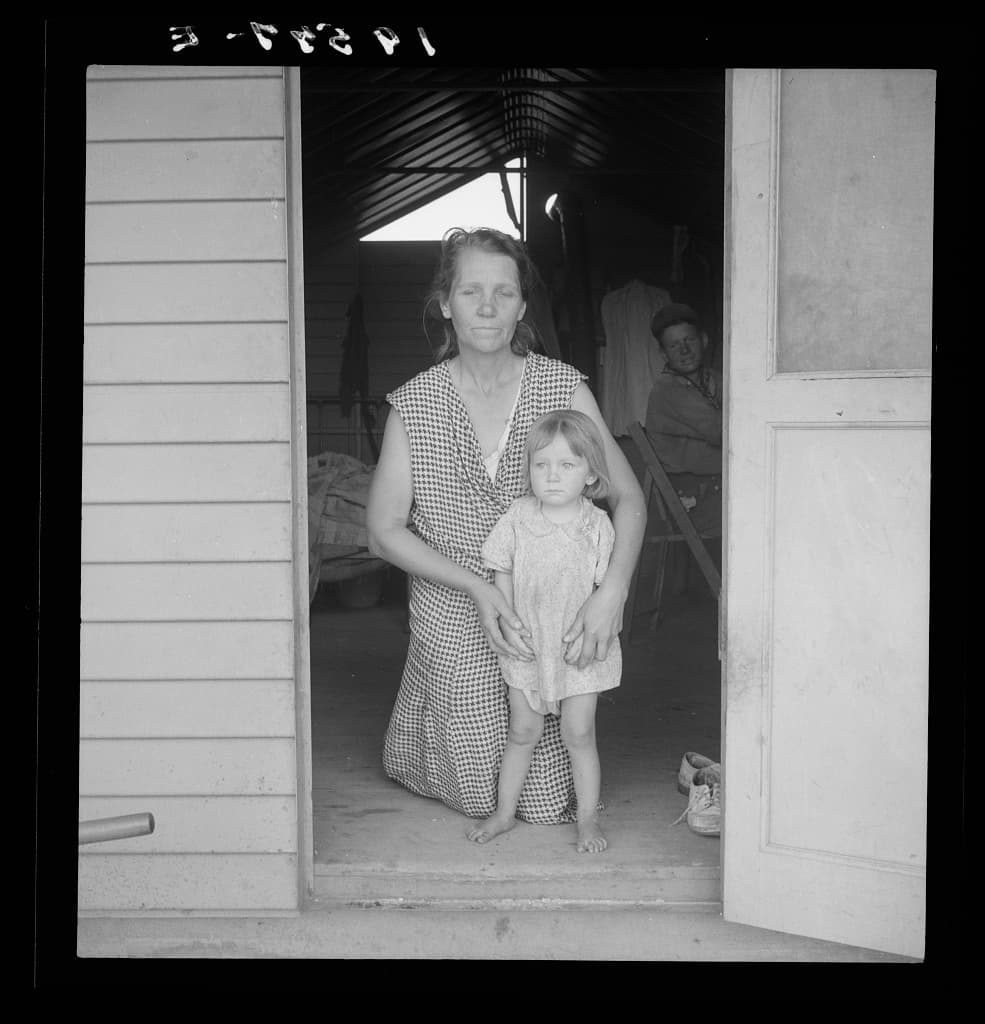
How it works
Start with a scan or an evenly lit photo of the print. Avoid glare and include the entire subject. JPEG, PNG, WebP and HEIC files up to 20 MB are accepted. A black and white source with visible facial details is more useful than an enlarged screenshot.
- Choose your photo. This page opens Restoration with Colorize already enabled.
- Choose 2K or 4K, sign in and check the credit cost. Buy a credit pack if your balance is insufficient; payment comes before processing.
- Start colorization, compare the result with the original and download your photo. Inspect faces and colors with the comparison slider.
What to expect
A gray dress could originally have been blue, red or another color. The model makes a plausible choice, not a historical identification. Skin tones, eye color, small objects and clothing patterns can change. For genealogy or archival work, label the result as AI colorized and retain the original.
Colorization uses Restoration with the Colorize option; there is no additional credit charge for that option. A 2K generation costs 5 credits and 4K costs 10. The subscription includes 100 monthly credits: 20 photos in 2K or 10 in 4K.
A documented test on an archive photo
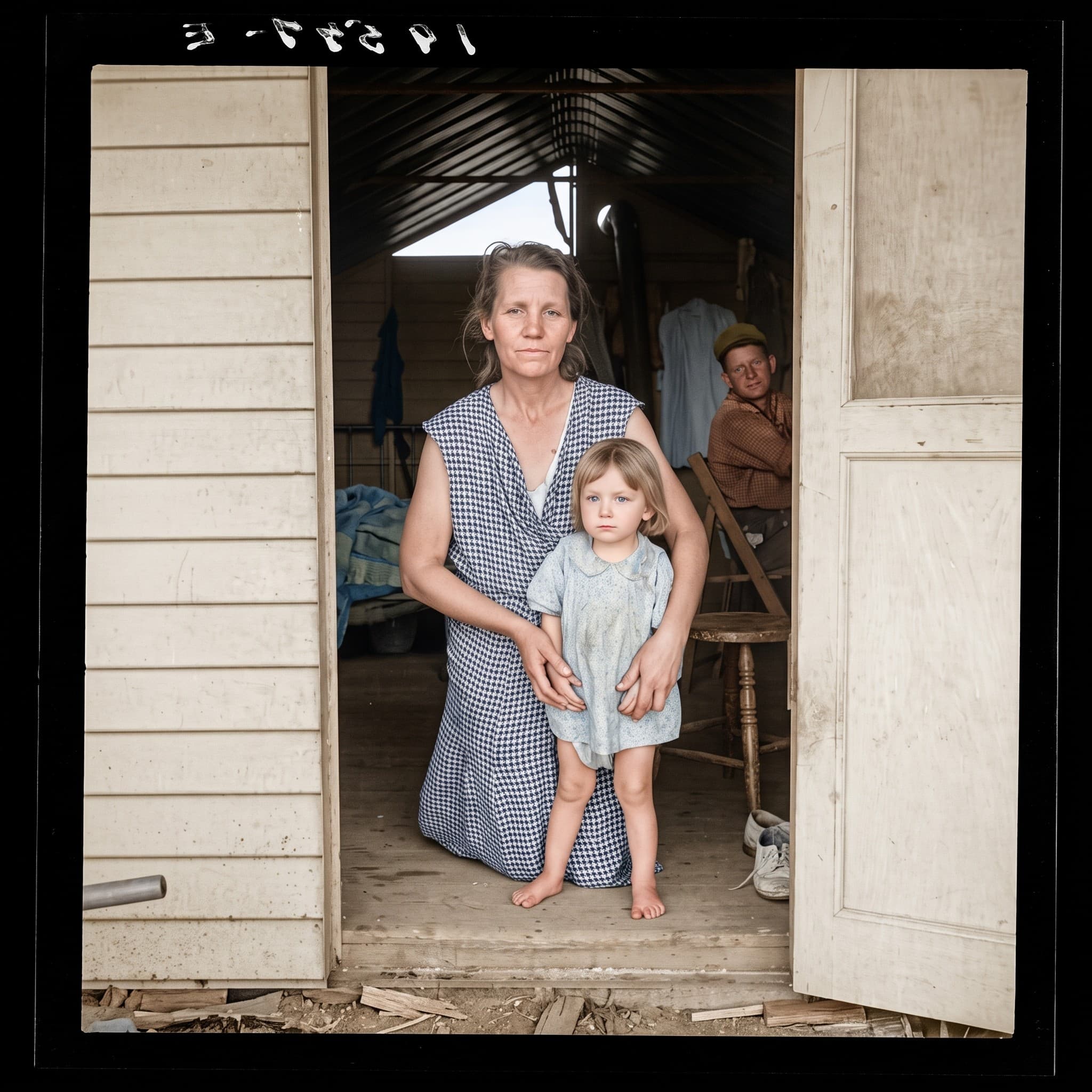
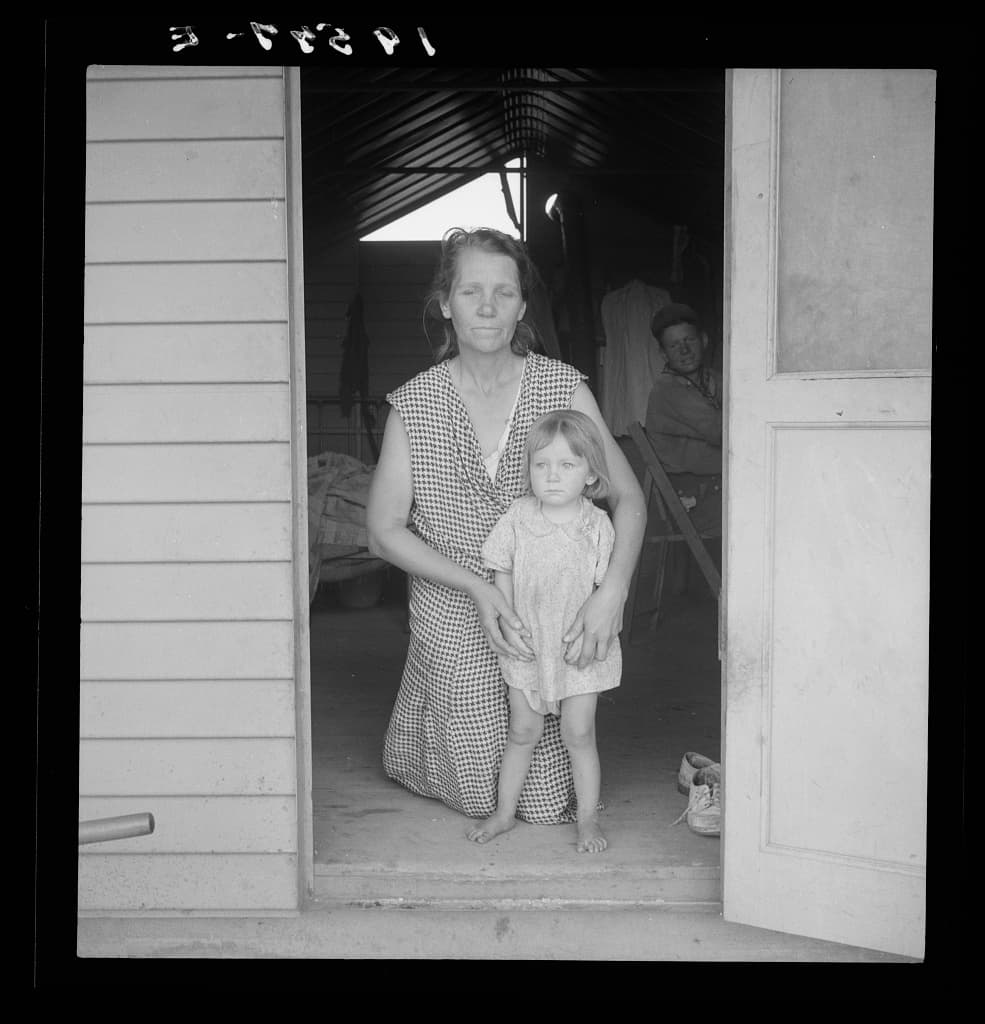
We used a public-domain Library of Congress scan with the same image preparation and AI engine as this tool. The source was not artificially damaged. The app removes metadata and prepares a JPEG, then generates a 2K image with Nano Banana 2. The web example is encoded as JPEG.
- Source dimensions
- 985 × 1024 px
- Generated dimensions
- 2048 × 2048 px
- Setting
- Restoration + colorization · 2K
- Test date
- 2026-10-05
In this 1939 portrait by Dorothea Lange, the result adds skin tones, a blue dress and warm tones to the doorway. Those colors are generated choices. The scan cannot establish that the dress or the child’s eyes had those colors, and the new square format slightly changes the image proportions.
What to check before keeping the result
- Compare eyes, mouths and expressions with the original at the same display size.
- Check text, hands and clothing patterns for invented details.
- Keep the scan and label the edited copy, particularly in a family archive.
This is one example for this setting, not a success-rate study or a comparison with another service. Your source and each generation can produce different results. Archive subjects are not customers or endorsers.
Source and generation recordClear prices, before processing
One photo costs 5 credits in 2K or 10 credits in 4K. Both resolutions are available with every plan.
100 credits each month for €9.99/month or €49.99/year. Extra packs require an active subscription.
See prices